Explore
Pebblepip
A purple mole designed to help you locate nearby loaded diamond ore. A discovery companion, not an automatic mining machine.
Original worlds · Playful companions
Buddygrove brings three original creatures to your Minecraft world: a curious cave companion, a garden helper, and a small friend with a brave heart.
Prototype v0.1.0 · In-game playtesting next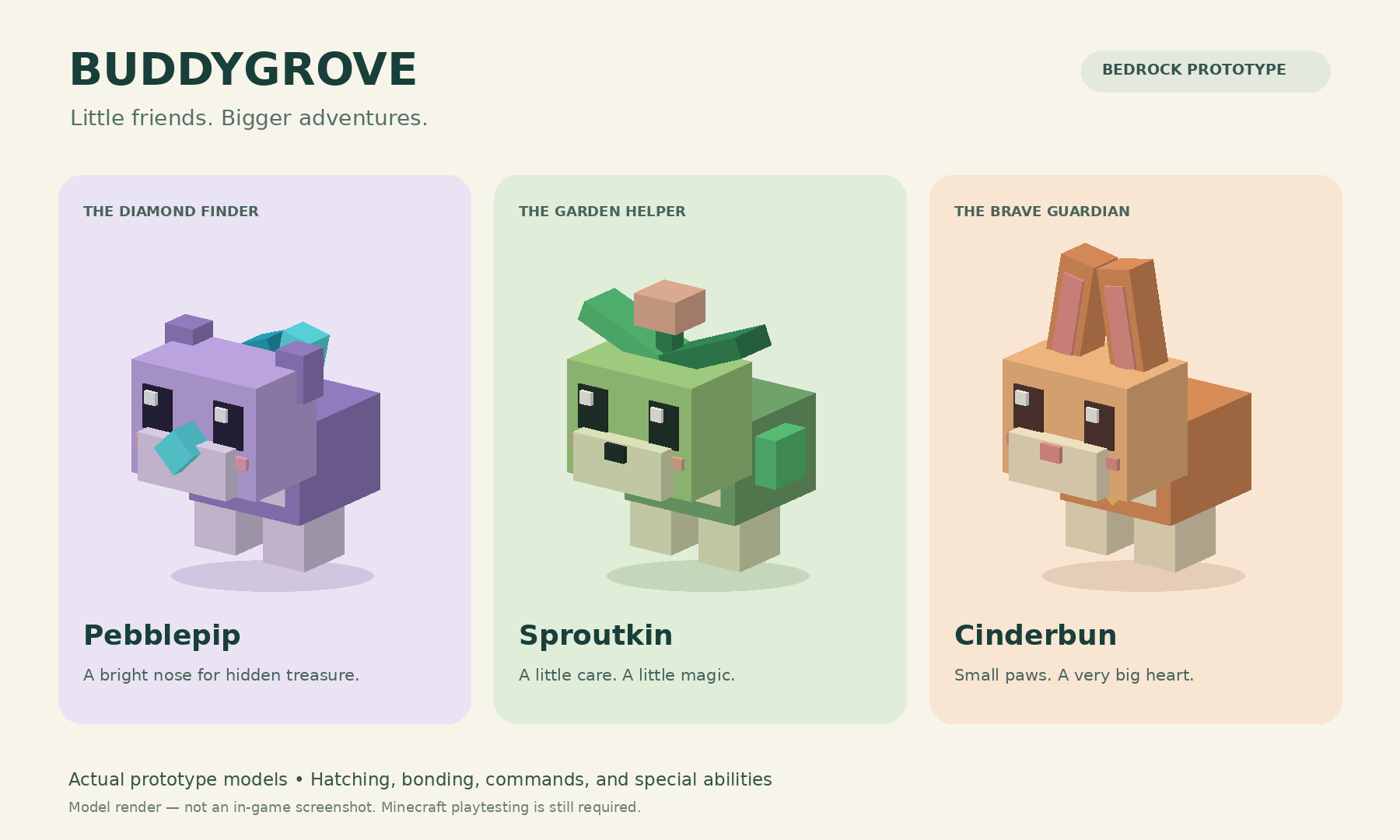
Explore
A purple mole designed to help you locate nearby loaded diamond ore. A discovery companion, not an automatic mining machine.
Grow
A green garden helper designed to advance wheat, carrots and potatoes by one growth stage.
Adventure
An apricot rabbit designed to offer a short Resistance boost when nearby monsters make things interesting.
The build
The prototype is packaged as a Minecraft Bedrock add-on (.mcaddon) targeting version 1.21.90 or later. The intended loop is simple: hatch a buddy, tame it with an apple, then explore its personality and ability.
Packaging and automated checks have passed. In-game behavior, multiplayer, controller input and save/reload still need hands-on verification. This is not a released Marketplace product.
Playtest checklist
Use a disposable test world for the first run. Keep your original package as a backup. The MacBook can organize files, edit recordings and maintain this catalogue.
Next in the catalogue
Verify the three abilities and record a repeatable test result.
Add actual gameplay clips, creature portraits and a dated compatibility log.
Fix observed issues, tune the experience and decide the distribution route.